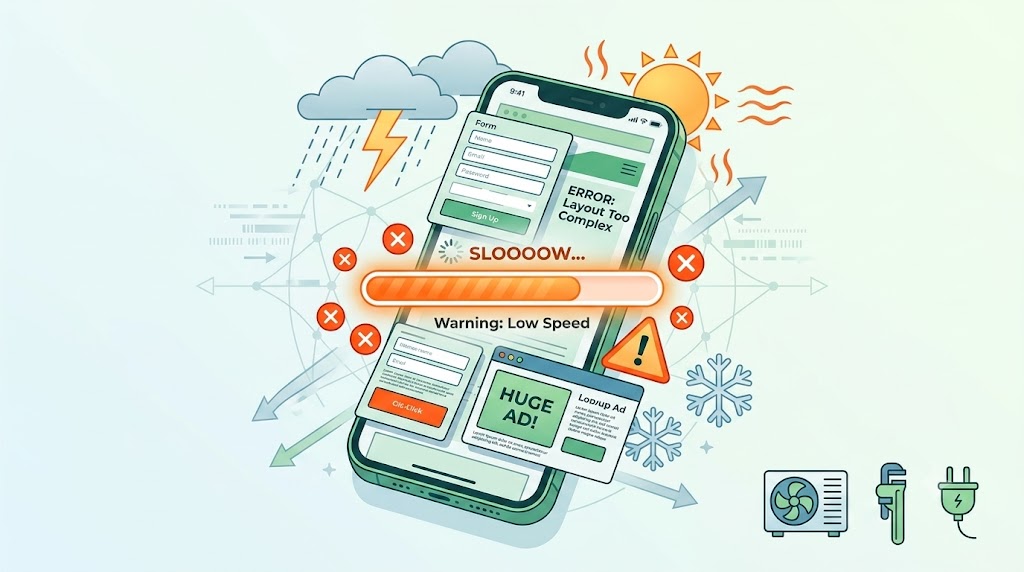




Seasonal spikes should be the best weeks of the year for home service companies, not the weeks when the website quietly loses half its mobile leads. A surprising number of trade sites are still built around desktop habits. That gap turns into lost revenue fast once home service website conversion optimization actually gets measured against real call volume during a heat wave or a cold snap. Mobile traffic accounts for the overwhelming majority of emergency service searches, yet many sites still load slowly, hide the phone number, or require six form fields before a visitor can even request a callback. None of these mistakes look dramatic on their own, but stacked together, they add up to a mobile experience that quietly bleeds leads during the exact weeks a business can least afford it. This piece walks through 10 layout errors that recur on home service sites during seasonal traffic.
Common Web Design and Layout Flaws Damaging Mobile Conversions
Click-to-Call Buttons Buried Below the Fold
A tap-to-call button that only appears after scrolling past a hero image and three paragraphs is one that most mobile visitors never see. During a seasonal spike, that missed tap is a missed emergency call that goes straight to a competitor instead. Pinning the phone number somewhere visible the entire time a visitor scrolls fixes most of this in an afternoon.
Contact Forms Ask For Too Much Too Soon
Forms requesting name, email, phone, address, and a project description before offering any next step are a fast way to lose mobile visitors mid-scroll. Sites built without much thought about hvac site layout conversion errors tend to reuse the same bloated form across every service page instead of trimming it down. Cutting a form to two or three fields on mobile, then collecting more detail on a follow-up call, tends to convert noticeably better.
Hero Images Slow Down First Load
A gorgeous, uncompressed hero photo might look great on a designer’s laptop and still take four seconds to load on a phone with an average signal. That delay alone pushes visitors to bounce before they see anything else on the page. Compressing hero images and lazy-loading anything below the fold usually solves this without touching the design at all. Don’t let slow loading speeds and buried phone numbers drop your summer revenue. Partner with Grow Nearby for responsive HVAC Digital Marketing built to capture intent when traffic spikes.
Service Areas Get Lost in the Scroll
Visitors searching during a seasonal spike want a fast answer to one question: does this company serve my city? When that information sits buried in a footer or a separate page three clicks deep, plenty of visitors just leave and try the next search result instead. Surfacing the service area near the top of the page, even as a short list, keeps that question answered immediately. Are hidden formatting issues costing you high-ticket emergency bookings? Upgrade your digital presence with mobile-optimized Home Service Website Design configured to maximize real-time call volume.
Sticky Headers Eat Up Thumb Space
A sticky header that grows to take up a third of the screen leaves very little room for anything else on a smaller phone. That’s a common issue in mobile landing page cro trades work, where designers focus on desktop polish and forget how cramped the same header feels on a five-inch screen. Trimming header height on scroll, or collapsing it into a slim bar, frees up room for the content that actually drives a call.
Trust Signals Disappear Near the CTA
A five-star review count or a licensing badge sitting far from the call-to-action does almost nothing for conversion, even if it’s technically present somewhere on the page. Visitors deciding whether to call during a stressful home emergency want reassurance right next to the button they’re about to tap. Moving a rating badge or a licensing mention directly beside the CTA usually increases click-through more than adding new trust content elsewhere on the page.
Booking Widgets Ignore Thumb Reach
Plenty of booking widgets were designed assuming a mouse and a cursor, not a thumb reaching across a six-inch screen one-handed. Tiny date pickers and dropdown menus that require pinch-zooming to tap accurately frustrate visitors exactly when they’re trying to lock in an appointment. Widgets built with larger tap targets and thumb-zone placement convert noticeably better on phones than on desktop calendar tool ports.
Emergency Messaging Goes Quiet During Spikes
A site that never updates its messaging during a heat wave or a freeze warning misses an easy opportunity to capture urgent searches. A temporary banner or updated headline built around optimizing click to call mobile leads during exactly these windows speaks directly to the current spike in demand. Static homepage copy that never changes with the season leaves that urgency entirely on the table.
Location Pages Break on Smaller Screens
Some multi-location home service sites build a beautiful desktop template for city pages and never test how it collapses on mobile. Tables that don’t reflow, oversized embedded maps, and overlapping text blocks are common results of that gap. A quick mobile audit of every location page usually turns up broken layouts hiding in plain sight.
No Backup Contact Option When Traffic Surges
When call volume spikes hard during extreme weather, a phone-only contact strategy leaves visitors with nothing to do but keep redialing a busy line. A simple text-to-schedule option or a short callback request form gives frustrated visitors somewhere to go instead of bouncing entirely. Sites with a backup contact path tend to capture leads that a phone-only setup would have lost outright.
Conclusion
None of these ten errors requires a full website rebuild to fix, which is exactly why they’re worth auditing before the next seasonal spike hits. Small adjustments like trimming a form, compressing an image, or repositioning a call button tend to move mobile conversion more than most redesign projects ever do.
Seasonal spikes are unforgiving windows, since a slow or confusing mobile experience during peak demand sends visitors straight to a competitor’s number instead. Testing a site on an actual phone, on an actual cell connection, remains the fastest way to catch these issues before real customers do. Fixing even three or four of these errors before the next spike usually shows up directly in call volume within the same season. Grow Nearby fixes mobile layout issues costing you calls during seasonal spikes. Contact us now for a quick site review.
FAQs
Ques: Why does mobile conversion drop so much during seasonal spikes for a home service business?
Ans: Traffic volume increases quickly, and small layout issues that go unnoticed most of the year are exposed the moment more visitors start searching for emergency services in a single week.
Ques: How often should a home service company test its mobile site?
Ans: A quick mobile check before each major seasonal shift, plus a deeper audit once a year, catches most of the layout issues that quietly hurt companies.
Ques: Does a slow mobile site actually lose calls for a trade business?
Ans: Yes. Visitors searching during an emergency rarely wait more than a few seconds for a page to load before trying the next search result instead.